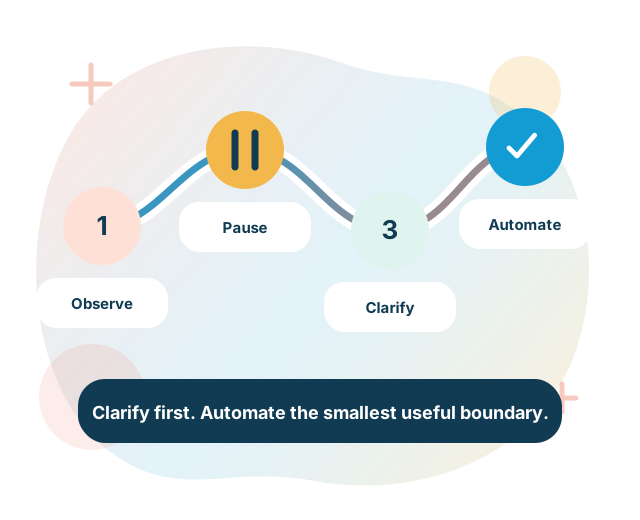
Do not automate unclear processes
Why unclear processes should not be automated
A practical automation-readiness method for clarifying purpose, roles, decisions, exceptions, information, controls and operating ownership before technology selection.
Published by Hot Desk Consultancy Services Limited
Published
Automation preserves what you design
Automation can make repeatable work faster and more consistent. It can also reproduce unclear responsibilities, unnecessary approvals, weak controls, conflicting rules and poor information across every transaction. The technology does not decide which parts of the current process are valid.
An unclear process is therefore not ready to become an automated workflow. The first task is to understand the outcome, the real work, the decision boundaries, the exceptions and the evidence needed to operate safely. Automation should follow that analysis.
This does not mean waiting for a perfect process. It means resolving the uncertainties that would otherwise become system behaviour and making the remaining assumptions, exceptions and human judgement visible.
What an unclear process looks like
A diagram can look orderly while the work remains unclear. Warning signs include:
- different teams describe the purpose or completion point differently;
- the documented procedure does not match observed work;
- roles, decision authority or escalation paths are disputed;
- business rules are hidden in emails, spreadsheets, individual memory or system code;
- exceptions are treated as rare even though they shape daily work;
- the same information is requested, copied or corrected several times;
- controls exist as policy statements but have no defined trigger, owner or evidence;
- people maintain parallel manual records because they do not trust the primary system;
- performance measures count activity without showing the service outcome; or
- the preferred automation product has been selected before the process boundary is agreed.
These are analysis prompts, not a universal test. The importance of each sign depends on the process, risk, users and intended automation.
Agree the purpose and boundary
Start by defining the change that the organisation is trying to make. Record the business or service outcome, users and affected people, start and end events, channels, organisational boundary, accountable owner, relevant obligations, expected evidence and decisions the work must support.
The New Zealand Digital Service Design Standard includes current principles on understanding users, being clear about what is changing and why, integrating security and privacy, using multidisciplinary teams, managing information and treating technology as an enabler. Its scope is government service design. The principles provide useful context without making a specific automation ready.
Keep the boundary broad enough to see the outcome. A team-level task may be one part of a service that crosses several business units, suppliers and channels. Optimising one task can move work or risk to someone else if the wider boundary is ignored.
Observe the real work
Use evidence from the process as it operates. Review procedures, policies, forms, records, system states, queues, reports, incidents and prior change material. Combine that review with interviews, workshops and observation of people completing normal and difficult work.
Compare what the procedure says, what systems permit and what people actually do. Differences may reveal necessary local knowledge, an outdated rule, a control gap, an inaccessible service, a data problem or a workaround caused by technology.
Record the source and date of each observation. Separate a confirmed fact, an individual account, an assumption and a proposed improvement. A single workshop should not silently become the definition of the process.
Map the service from end to end
The current-state view should include the user-facing service and the work behind it. The GOV.UK Service Manual introduction to designing government services describes understanding a service from beginning to end, from front to back and across digital and non-digital channels. It is United Kingdom government guidance, not a New Zealand mandate, but the boundary lesson is useful.
Map:
- the event that starts the work and the outcomes that close it;
- users, staff, partners, suppliers and affected parties;
- online, phone, email, paper, in-person and system-to-system channels;
- activities, queues, hand-offs, waits and rework;
- decisions, approvals, reviews and appeal routes;
- information created, received, changed and disclosed;
- systems, records and integrations;
- controls and evidence; and
- normal, exceptional, failed and withdrawn paths.
A map is useful only when stakeholders can recognise the work and identify what remains uncertain.
Separate process, decisions and adaptive casework
Different forms of work need different treatment:
- Process: activities and events that can follow an understood sequence.
- Decision: a question resolved using facts, rules, authority and sometimes judgement.
- Casework: work where evidence and events can change what is appropriate next.
The Object Management Group maintains complementary standards for Business Process Model and Notation, Decision Model and Notation and Case Management Model and Notation. They support precise modelling of processes, decisions and adaptive cases. An engagement does not need to use these notations, but the distinctions prevent every form of work from being forced into one fixed flow.
Automation may orchestrate a repeatable process, apply an approved decision rule and support a person handling an unusual case. These are different design responsibilities and should remain visible even when one platform implements them.
Expose variation and exceptions
Do not design only the preferred path. Identify common variants, legitimate alternatives, failure states, incomplete information, cancellations, disputes, timeouts, reassignment, rework, manual intervention and external dependencies.
For each variant or exception, ask:
- what triggers it and how it is detected;
- whether it is valid, avoidable or a symptom of another problem;
- who has authority to act;
- what information and evidence are required;
- what time or service commitment applies;
- where the work waits and how it is prioritised;
- how the user is informed; and
- how the process returns to a controlled state or closes.
An exception should not become an unowned queue outside the automation. If it requires judgement, make that judgement and its authority explicit.
Clarify roles, authority and accountability
Every activity, decision, control and exception needs a responsible role. Distinguish the person who performs the work, the person who owns the outcome, the person who can approve or override a decision, and the role that provides assurance.
Check delegations, segregation of duties, substitute arrangements and access boundaries. A workflow can route a task to a group, but that does not establish who is accountable or whether a person has authority to act.
Where several teams share delivery, define the hand-off condition, information transferred, acceptance of responsibility and escalation path. Use role names in the process model and requirements rather than tying design to one current employee.
Make business decisions and rules explicit
A box labelled “assess” or “approve” can hide the most important part of the process. Identify the decision question, possible outcomes, required facts, applicable rules, discretion, authority, reasons, review route and evidence.
For each business rule, record its source, owner, version, effective date, conditions, outcome, exceptions, approval and test cases. Separate policy, legal interpretation, operational preference and solution logic so that each can be changed by the right authority.
Do not translate professional judgement into a simple rule unless the accountable owner has approved that treatment. Some decisions can be automated, some can be assisted with information or recommendations, and some should remain with an authorised person.
Define information and evidence
Automation depends on information that is available, meaningful and permitted for the intended use. For every input and output, identify its source, owner, definition, format, quality, currency, classification, access, permitted use, retention and evidence requirements.
Distinguish information supplied by a user, information obtained from an authoritative source, derived information, a decision and a record of action. Define what happens when required information is missing, inconsistent, late or disputed.
Repeated rekeying and reconciliation can indicate an automation opportunity, but the target design still needs a trusted source, correction route and clear responsibility. Connecting two systems does not resolve conflicting definitions or ownership.
Keep controls visible
List the controls that prevent, detect, correct or evidence material behaviour. These can include authority checks, validation, segregation, approvals, reconciliations, limits, alerts, access restrictions, review, records and independent assurance.
For each control, define the risk or obligation addressed, owner, trigger, frequency, evidence, failure response, exception authority and review point. Decide whether the control remains manual, becomes automated or uses a combination.
Do not remove a manual step only because it appears slow. First determine whether it is unnecessary work, an undocumented control or a response to another weakness. If the control is still needed, redesign it deliberately and verify that the automated evidence will be usable.
Simplify before selecting automation
Challenge every activity, approval, copy, hand-off and report. Ask whether it supports the intended outcome, satisfies a confirmed obligation, manages a material risk or provides information someone uses.
Possible changes include removing duplicate steps, combining compatible activities, clarifying entry criteria, reducing approvals, moving a decision earlier, improving a form, correcting ownership, standardising definitions, changing a policy or control, and using an existing system properly.
Simplification does not mean removing necessary judgement, access routes or controls. It means making the work as direct and understandable as the outcome and risk allow. Automate the agreed target, not a digital copy of every current step.
Choose the automation boundary
Automation is not an all-or-nothing choice. The target may use:
- a clear procedure and no technology change;
- better configuration of an existing system;
- data validation or pre-population;
- notifications, reminders or task routing;
- integration that removes rekeying;
- an explicit decision rule;
- assisted work that prepares information for a person;
- orchestration across several systems;
- targeted automation of stable activities; or
- a new service or platform.
Select the boundary by outcome, evidence, risk, maintainability and total operating effort. A small controlled automation can be better than an end-to-end design that hides unresolved judgement and exceptions.
Assess automation readiness
A readiness assessment can consider:
- purpose: the outcome and success measures are agreed;
- stability: the process has enough repeatability for the proposed treatment;
- variation: normal paths, variants and exceptions are understood;
- decisions: rules, discretion, authority and review are explicit;
- information: required data is available, governed and sufficiently reliable;
- controls: risks, obligations and evidence are addressed;
- integration: systems, interfaces, ownership and failure handling are feasible;
- users: staff and affected people have been considered across relevant channels;
- operations: ownership, monitoring, support and change are defined; and
- value: expected benefit is proportionate to delivery, transition and operating effort.
Readiness is specific to the proposed automation boundary. One stable task may be ready while the complete service is not.
Build traceable requirements
Turn the target design into requirements that connect the business outcome to process behaviour, decisions, information, controls, integrations, users and operations. Each material requirement should have an identifier, owner, source, priority, condition, required behaviour, acceptance criteria, dependencies, exceptions and version.
Include functional and quality needs such as security, privacy, accessibility, performance, availability, recoverability, audit evidence and maintainability. Include transition needs for migration, training, communications, interim states, cutover and retirement of manual or legacy work.
A workflow diagram alone is not an implementation specification. The requirement set should explain what happens when inputs are invalid, dependencies fail, a person does not act, a rule changes, work is reassigned or the automation must be stopped.
Design exception and failure paths
Define how the automation behaves when a system is unavailable, an interface rejects data, an item is duplicated, a deadline is missed, a rule cannot determine an outcome or a user challenges a decision.
For each failure path, identify detection, retry, timeout, escalation, compensation, communication, manual fallback, recovery and evidence. Prevent repeated retries from creating duplicate actions or inconsistent records.
Manual fallback must be usable and governed. Record when it can be invoked, who authorises it, how work is reconciled and how the automation resumes. A fallback that exists only in a design document is not an operating capability.
Define the operating model
Automation creates an ongoing service responsibility. Name the process owner, business rule owners, information owners, technology owner, control owners, support roles and change authority.
Define monitoring for volume, queue age, completion, exceptions, errors, retries, manual interventions, control results and user impact. Agree incident routes, support hours, access administration, release approval, continuity, supplier responsibilities and evidence retention according to scope.
Keep process documentation, rules, configurations, requirements and tests versioned together. A working automation can become an unclear process again when business changes are made without maintaining its operating knowledge.
Test realistic scenarios
Test the complete service, not only whether each automated step runs. Use normal cases, boundary values, incomplete information, exceptions, conflicting facts, system failures, reassignment, timeouts, overrides, review and manual fallback.
Validate with the people who perform, own, assure and are affected by the work. Confirm that users understand status, decisions, required actions and support routes. Check that records explain what happened and why.
Trace every material test to the process, decision, control or quality requirement it verifies. Record results, defects, accepted limitations and the authority that approves release.
Use a bounded pilot
Where uncertainty remains, use a controlled pilot with an agreed population, time period, users, risks, fallback and stop conditions. Compare the pilot with a reliable baseline using measures that reflect the intended outcome.
Possible measures include completion, elapsed and active time, queue age, rework, exceptions, error correction, control performance, user effort, support demand and operating effort. Select measures before the pilot and explain how they are calculated.
A pilot proves only what its scope and evidence support. Do not convert an early result into a general savings, quality or scale claim without suitable evidence.
Prepare people and the organisation
Automation changes responsibilities, skills, workload, supervision and sometimes the experience of people using the service. Identify who gains, loses or changes work and who handles the exceptions that remain.
Plan communications, training, updated procedures, access, job aids, support, transition responsibilities and feedback routes. Involve frontline and assurance roles early enough to influence the design.
Do not describe adoption as a training task at the end. If people do not understand or trust the new process, parallel records and unofficial workarounds can return.
Plan for business change
Define how policy, legislation, products, organisational structure, suppliers, data definitions and system changes will be assessed. Maintain traceability from the change to affected process steps, rules, controls, information, integrations, tests and communications.
Assign review triggers and owners. Record effective dates and transitional treatment. Retire obsolete rules and paths deliberately rather than leaving several conflicting versions active.
Monitor whether the process still achieves its purpose. A stable technical run does not prove that the service outcome, control or user need remains valid.
Warning signs that automation should wait
- No accountable owner can approve the target process.
- The purpose or completion outcome is disputed.
- The current process cannot be confirmed from evidence.
- Rules or delegations are unclear.
- Exceptions and manual overrides are not understood.
- Required information has no trusted source or correction route.
- A material control has no owner or evidence.
- The solution is being designed around one person's undocumented knowledge.
- The product choice is driving requirements.
- No one owns monitoring, incidents, support or change after release.
These signs do not require stopping every improvement. They identify decisions and evidence that should be resolved or explicitly bounded before automation proceeds.
The minimum automation-readiness pack
A practical evidence pack can include:
- purpose, scope, users, outcomes and owners;
- current-state process and service map;
- evidence, assumptions, gaps and decisions register;
- roles, authority and responsibility model;
- process variants, exceptions and failure paths;
- decision and business-rule models;
- information definitions, sources and lifecycle;
- risk, control and evidence mapping;
- target process and automation boundary;
- traceable requirements and acceptance criteria;
- option assessment and delivery dependencies;
- pilot, test and transition plans;
- operating, support and change responsibilities; and
- baseline, measures and review decisions.
The depth should reflect the risk, scale and decision. The purpose is shared understanding and controlled implementation, not documentation volume.
Questions before automating
- What outcome must improve, and how will we know?
- Can users and staff complete the work from start to finish across every relevant channel?
- Does the documented process match observed work?
- Which activities, decisions and casework should remain distinct?
- Are variants, exceptions, failure paths and manual fallback understood?
- Who owns the process, rules, information, controls and technology?
- Are authority and segregation requirements explicit?
- Can required information be obtained and corrected lawfully and reliably?
- Which steps can be removed or simplified before automation?
- What is the smallest useful automation boundary?
- Can every requirement and test be traced to an approved need?
- Who will monitor, support and change the automation after release?
Evidence from two anonymous engagements
Process and decision automation integration
For one New Zealand public-sector organisation, Hot Desk delivered integration architecture using secure API gateways to connect established process orchestration and governed decision-management platforms with the wider enterprise environment.
The retained source establishes delivered integration and automation architecture. It does not establish a measured efficiency result, implementation of every business process or a customer endorsement. The organisation, programme, dates, consultant and distinctive platform combination remain private.
Legislative service-platform modernisation
For one New Zealand government organisation, Hot Desk defined a service-oriented target architecture and detailed migration roadmap for replacing a legacy platform supporting a regulated public service after legislative change.
The retained source establishes architecture and migration-planning work. It does not establish that implementation was completed, that service continuity was achieved as a measured outcome or that another transformation will succeed. The organisation and identifying details remain private.
Where Hot Desk fits
Hot Desk provides product-neutral business-process, automation and transformation advisory. An engagement can address one process, a connected service or a broader change, and can include current-state evidence, target design, automation readiness, requirements, option assessment, roadmaps and implementation support within the agreed scope.
The recommendation may be simplification, clearer roles, a policy or control change, better use of an existing system, targeted automation, another product, a new platform or no technology change. Consultancy remains separate from the dedicated Parapet and Pūnaha product teams.
The work does not guarantee automation, savings, delivery timing, service continuity or a transformation outcome. Client owners retain their decision, risk, legal, regulatory and operating responsibilities.
Continue the discussion
Review regulatory compliance from obligation to operation, read how to turn legislation into implementable business requirements, explore governed and operable AI workflows, or discuss a process and automation-readiness engagement.
About this insight
This article is published by Hot Desk Consultancy Services Limited as general information. It does not certify a process as ready for automation or provide legal, regulatory, privacy, security, procurement, architecture, employment, change-management or implementation advice. Validate the current process, evidence, risks, requirements and approvals that apply to your organisation and circumstances.
Start a conversation
Bring us the challenge, not a finished specification.
We will help clarify the current state, the decisions that matter and a practical next step.